

When it comes to AWeber vs ConvertKit, choosing the right email marketing platform can significantly impact your bottom line. Email marketing generates 90% of revenue for some successful blogs, making this decision crucial for your business growth.
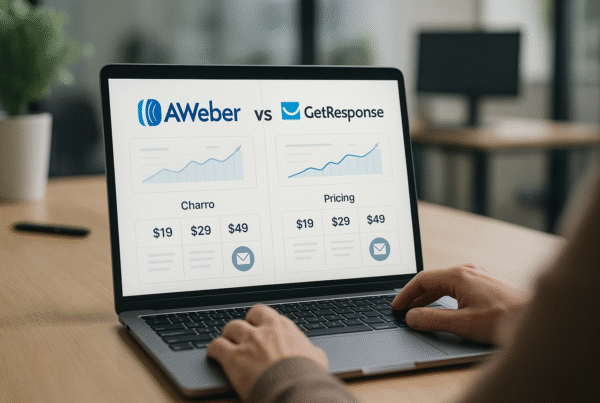
AWeber, established in 1998, offers impressive features including more than 700 email templates and the ability to send up to 3,000 emails monthly with 500 contacts. However, ConvertKit has built its reputation on powerful automation capabilities while maintaining excellent deliverability rates of 99% and average open rates of 29%. Furthermore, pricing structures differ significantly between these platforms, with AWeber’s basic plan starting at $19/month for 500 subscribers. At the same time, ConvertKit costs $29/month for up to 1,000 subscribers.
Suppose you’re trying to decide between these popular email marketing tools. In that case, you need to understand how they compare across templates, automation, analytics, deliverability, integrations, pricing, and support. In this comprehensive breakdown, we’ll examine all seven key feature areas to help you determine which platform aligns best with your specific needs.
Comparison Table: Aweber vs. Convertkit
| Feature | AWeber | ConvertKit |
| Email Templates | 700+ templates | 9 basic templates |
| AI Design Tools | Yes: Smart designer & content generator | No |
| Visual Automation | Yes: “Workflow” automations | Yes: “Visual Automations” |
| Conditional Logic | Basic branching options | Advanced with 4 types of conditions |
| Analytics Dashboard | Comprehensive with sales tracking | Basic metrics only |
| Geographic Tracking | Yes | No |
| Dedicated IP | No | Yes ($250/month, 150k+ emails) |
| Integration Count | 800+ integrations | 90+ integrations |
| Ecommerce Integrations | 62 platforms | 12 platforms |
| Native Selling Tools | No | Yes (ConvertKit Commerce) |
| Free Plan Limit | 500 contacts, 3,000 emails/month | 1,000 contacts, unlimited emails |
| Paid Plan Starting Price | $19/month (500 subscribers) | $29/month (1,000 subscribers) |
| Support Channels | Live chat, email, phone | Live chat, community forum |
| Support Hours | M-F 7AM-10PM ET, weekends 8AM-5PM ET | 24/7 (paid plans) |
| Migration Service | Yes, within 5 business days | Yes (paid plans only) |
Email Templates and Design Tools
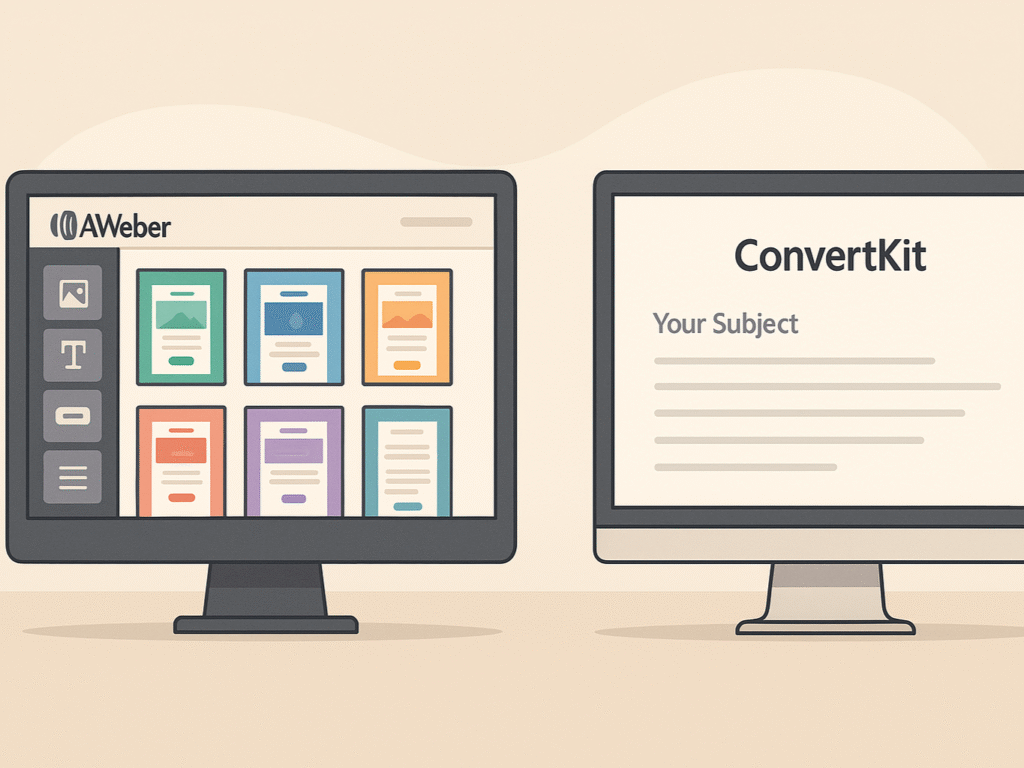
The visual appeal of your emails plays a crucial role in subscriber engagement. One of the most striking differences between AWeber and ConvertKit lies in their approach to email design and templates.
1. Template Count: 700+ in AWeber vs 9 in ConvertKit
The template disparity between these platforms is remarkable. AWeber offers an impressive library of over 700 email templates across various categories, including Corporate, Blog, Retail, and Celebration. This extensive collection provides numerous options to match your brand’s aesthetic without requiring a complete overhaul. For a detailed analysis of how these templates perform in real-world scenarios, check out our comprehensive AWeber review, which covers template quality and user experiences.
In stark contrast, ConvertKit provides just nine basic email templates. This minimalist approach reflects ConvertKit’s design philosophy, which holds that simpler, text-based emails often generate better engagement rates. According to Nathan Barry, ConvertKit’s founder, this simplicity is intentional rather than a limitation; text-focused emails typically perform better with most audiences.
The template quantity difference becomes significant depending on your email marketing strategy. For businesses that rely heavily on visual marketing, AWeber’s extensive template library offers substantially more flexibility. Conversely, if you prefer clean, text-centric communication, ConvertKit’s limited but focused template selection might suffice.
2. Customization Options: Drag-and-Drop vs HTML Editing
Both AWeber and ConvertKit offer drag-and-drop editors, but with notable differences in their approach and capabilities. AWeber’s drag-and-drop email builder enables you to easily insert various elements into your message and customize them to suit your specific needs. You can also choose from multiple color schemes to align with your brand identity, add logos or images, and implement both single-column and two-column designs.
- ConvertKit offers a minimalistic approach to email templates with limited design options.
- Templates don’t support extra text columns, reducing layout flexibility.
- Advanced customization often requires knowledge of HTML coding.
- Users seeking complex designs may find ConvertKit less intuitive, especially those without coding skills.
For advanced users, both platforms offer HTML editing capabilities. AWeber offers both raw HTML and WYSIWYG (What You See Is What You Get) editing modes, providing technical users with complete control over their email design. ConvertKit also allows HTML customization, but as noted by several reviewers, you’ll need coding knowledge to achieve design-heavy emails.
The key distinction lies in accessibility. AWeber makes complex designs achievable through its intuitive interface. In contrast, ConvertKit requires technical knowledge to effectively utilize its minimalist templates.
3. AI-Powered Design in AWeber
AWeber distinguishes itself with AI-powered design tools that streamline the email creation process. The platform’s brilliant email designer can automatically extract colors and logos from your website to generate ready-to-send email templates. Additionally, it suggests personalized subject lines and content based on your subscribers’ behavior.
This AI functionality helps even novice marketers create professional-looking emails without design expertise. According to reviews, AWeber’s AI content generator and brilliant email designer significantly reduce the effort required to produce high-quality emails.
ConvertKit lacks equivalent AI-powered design tools, instead focusing on simplicity and ease of use over automated design assistance.
Other noteworthy design features in AWeber include:
- Theme settings that provide centralized control for headings, colors, buttons, fonts, and more
- Mobile-responsive templates compatible with all primary email services
- Custom template development services from AWeber’s in-house design team
For brands prioritizing visual consistency, AWeber offers theme settings that allow you to create consistent-looking emails quickly, adjusting global settings rather than formatting each element individually.
The choice between these platforms’ design approaches ultimately depends on your priorities. If you value extensive template options, visual customization, and AI assistance, AWeber outperforms ConvertKit in this area. Alternatively, suppose you believe in the power of simple, text-focused emails and don’t need elaborate designs. In that case, ConvertKit’s straightforward approach might align better with your strategy.
AWeber Honest Review: Pros, Cons & Features Compared (2025 Edition): Dive deeper into AWeber’s complete feature set, pricing analysis, and real user experiences. Discover hidden pros and cons that could impact your email marketing success. Get the full breakdown before making your decision.
Automation Capabilities
Effective email automation stands as the backbone of successful email marketing campaigns. When comparing AWeber vs ConvertKit, their automation capabilities reveal fundamental differences in philosophy and execution.
1. Workflow Builder: Visual Automations vs. Campaigns
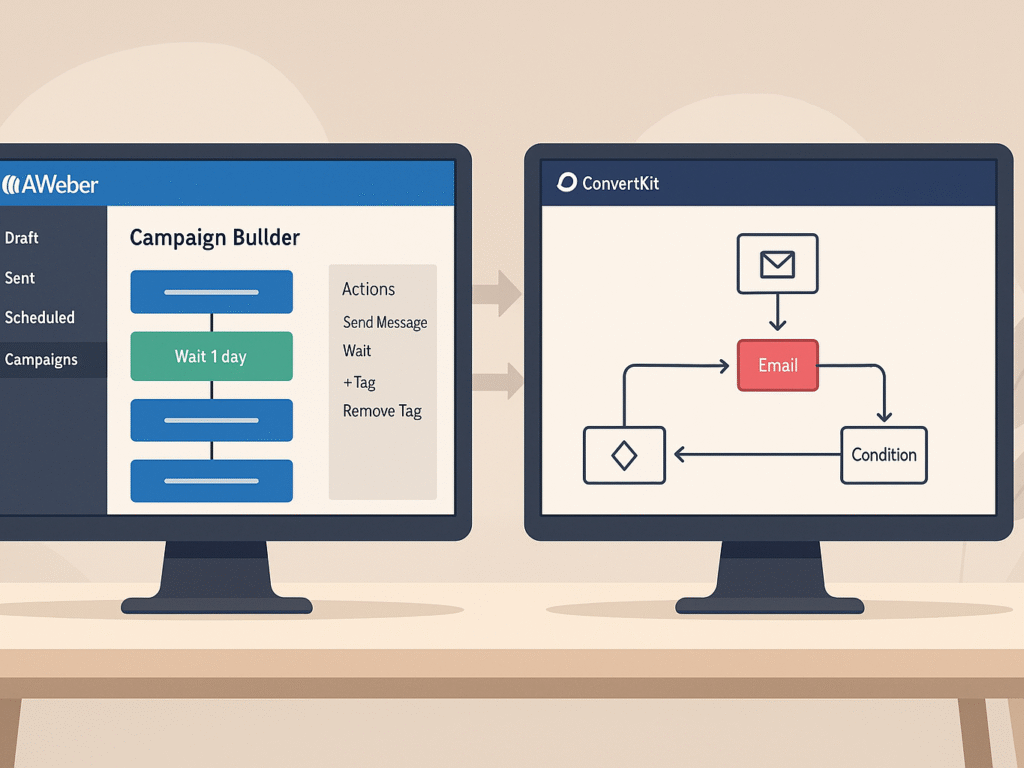
The names alone hint at the distinct approaches these platforms take to automation. ConvertKit offers “Visual Automations,” a highly intuitive system that provides a comprehensive visual representation of your automation workflow. This visual interface makes it remarkably straightforward to see how subscribers move through your marketing funnel.
ConvertKit’s Visual Automations begin with entry points, typically when someone subscribes through a form or receives a specific tag. Subsequently, you can direct subscribers through different paths based on specific events, actions, or conditions.
Suppose you’re comparing automation capabilities across multiple platforms. In that case, our AWeber alternatives guide examines how various email marketing tools manage automation workflows and conditional logic. For example:
- Events: Moving subscribers to different points in the automation when certain tags are added or removed
- Actions: Adding subscribers to email sequences
- Conditions: Executing specific actions based on whether subscribers have particular tags or custom fields
In contrast, AWeber calls its automation feature “Campaigns,” which might initially confuse users looking for an “Automations” section in their dashboard. AWeber has evolved its automation capabilities with “Workflow” automations that now provide a visual builder layout similar to ConvertKit. This system features auto-save functionality, allowing you to modify workflows at any time without worrying about losing your progress.
Nevertheless, many users still find ConvertKit’s automation interface more intuitive and flexible for creating complex subscriber journeys.
2. Conditional Logic: Branching vs Linear Sequences
Perhaps the most significant distinction between these platforms lies in their conditional logic capabilities. ConvertKit excels with its comprehensive branching options that function like “forks in the road” for your subscribers.
ConvertKit offers four types of conditions to create personalized paths:
- Tag Conditions: Check whether subscribers have specific tags
- Custom Field Conditions: Evaluate custom field values against criteria
- Advanced Filter Conditions: Combine different criteria for sophisticated targeting
- Email Opens Condition: Check if subscribers have opened any of your emails
Moreover, ConvertKit allows you to set up split paths based on multiple tags, creating highly personalized experiences. This branching logic enables you to send different content to subscribers based on their behavior, interests, or demographic information.
AWeber’s Workflow automations now also support conditional branching, enabling emails to be tailored to match subscriber interactions. Nonetheless, ConvertKit’s conditional logic remains more advanced and customizable overall, with more sophisticated options for creating complex, personalized automation sequences.
3. Click-to-Tag Functionality in ConvertKit
ConvertKit’s “Link Triggers” represent another powerful automation feature absent in AWeber. These are specialized links that automatically trigger predefined actions when clicked.
Link Triggers work behind the scenes, enabling you to:
- Add or remove tags from subscribers
- Add subscribers to sequences
- Update custom field values
Link Triggers in ConvertKit act like “if this, then that” rules. When someone clicks a specific link, they’re automatically tagged and added to relevant sequences, such as webinar invitations, without needing to fill out forms or take extra steps.
You can assign different Link Triggers to identical URLs, allowing precise segmentation based on subscriber behavior. ConvertKit also remembers which emails a subscriber has already received, automatically skipping duplicates to prevent fatigue and streamline the user experience.
While both AWeber vs ConvertKit platforms offer solid automation, ConvertKit leads with advanced features like Link Triggers and conditional logic. AWeber’s visual builder is more straightforward yet still practical, particularly for users prioritizing design and ease of use over in-depth segmentation.
ClickFunnels vs AWeber: Complete Comparison of Features, Pricing & Use Cases: Building complete marketing funnels? Compare ClickFunnels vs AWeber for a comprehensive analysis of funnel building, email marketing integration, pricing, and use cases. Determine the best combination for your business growth strategy.
Analytics and Reporting
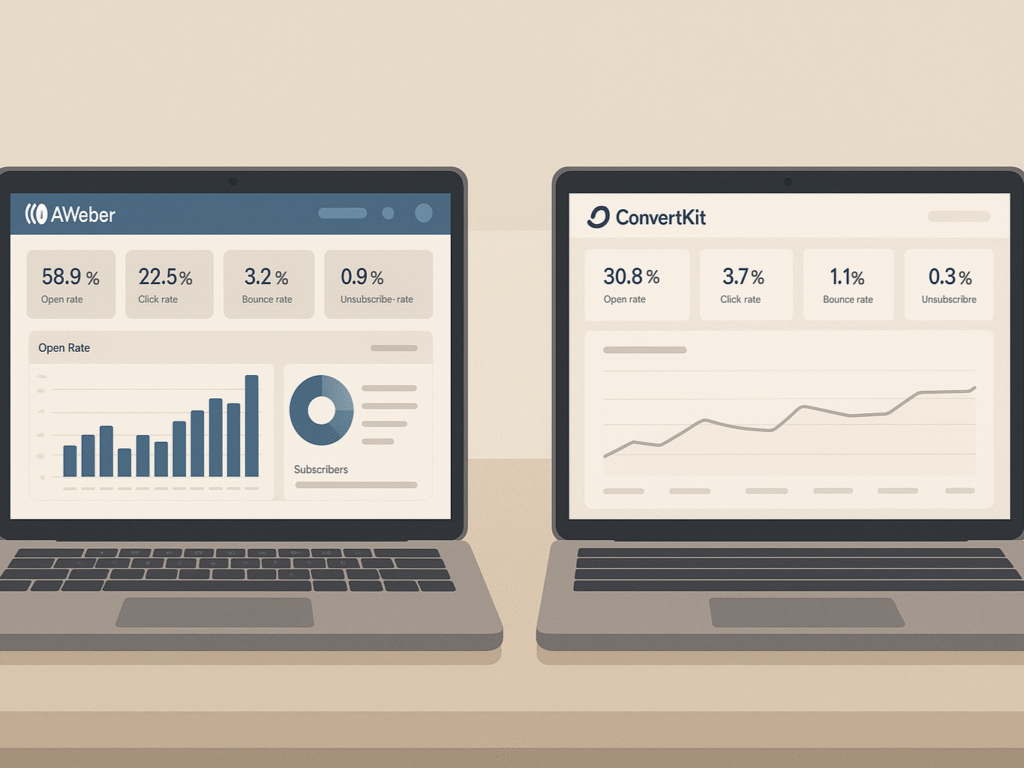
Tracking your email marketing performance requires robust analytics tools that provide actionable insights. The difference in reporting capabilities between AWeber and ConvertKit may influence your decision when choosing between these platforms.
1. Dashboard Overview: Basic vs Advanced Metrics
First and foremost, finding the analytics section in these platforms reveals their different approaches. ConvertKit lacks a dedicated reporting dashboard, forcing users to navigate to the Subscribers page or click into individual emails to access performance data. This scattered approach to analytics makes it challenging to perform quick assessments of performance.
Even after locating ConvertKit’s statistics, you’ll only see basic information: subscriber count, email receipt confirmation, open rates, link clicks, and unsubscribe rates. These elementary metrics provide limited insights for campaign optimization. In contrast, AWeber recently revamped its analytics dashboard to offer more comprehensive data visualization.
Beyond the standard open, click, and subscription rates, AWeber’s free plan includes advanced metrics, such as sales performance over time and subscriber geographic distribution. For a direct comparison of analytics capabilities, see our AWeber vs Mailchimp breakdown, which examines reporting features across leading platforms.
These additional insights enable more effective planning of future campaigns. The disparity becomes even more pronounced with AWeber’s paid plans, which unlock additional statistical tools and features. AWeber outperforms ConvertKit in reporting capabilities, providing significantly more analytical power even at the free tier level.
2. Sales Tracking and Subscriber Location in AWeber
One of AWeber’s standout features is its sales tracking functionality. This tool, also known as goal tracking, allows you to monitor actual revenue generated by your email list. Setting up this revenue tracking requires:
- Installing email web analytics on your website
- Configuring sales tracking settings with goal pages, descriptions, and monetary values
Once configured, you can view your email-generated revenue directly in your reports section. This feature enables you to identify which specific campaigns drive purchases rather than just engagement. It’s worth noting that sales tracking is unavailable on AWeber’s free plan and requires an upgrade.
- AWeber offers revenue tracking to monitor sales performance directly within your email campaigns.
- Subscriber location analytics reveal the geographic origins of your audience, allowing for region-specific content and optimized send times tailored to each time zone.
AWeber’s “ad tracking” feature offers yet another analytical advantage. This tool enables you to categorize subscribers based on acquisition sources, assigning labels such as “web_form,” “newsletter,” or “classified” to track which channels yield the most valuable subscribers.
3. Visual Reporting in ConvertKit
Despite its limitations, ConvertKit’s reporting has some advantages. Its dashboard presents a more modern visual interface that displays key metrics immediately after login. Using the available filter options, you can track daily, weekly, or monthly figures for:
- Total subscriber count
- Average open rate
- Average click rate
- Number of emails sent
Unlike AWeber’s separate reporting tab, ConvertKit integrates analytics directly into its dashboard for quicker access to essential metrics. You can also view individual broadcast and sequence statistics by clicking into them, checking open rates, click rates, and link performance for specific campaigns.
ConvertKit’s sequence reporting page provides valuable statistics divided into two sections: sidebar metrics showing global sequence performance and per-email stats in the main content area. It enables both broad overview analysis and detailed, per-message performance evaluation.
Certainly, AWeber offers superior depth in analytics capabilities with its comprehensive dashboard, sales tracking, and location data. Yet, ConvertKit provides a cleaner and more integrated reporting experience, focusing on essential metrics. Your choice depends on whether you prioritize analytical depth or streamlined simplicity in tracking email performance.
8 Best AWeber Alternatives for 2025 (Free & Paid Options): Exploring beyond AWeber? Compare top email marketing platforms, including pricing, features, and user experiences. Find the perfect alternative that matches your specific business requirements and budget constraints.
Deliverability and Compliance
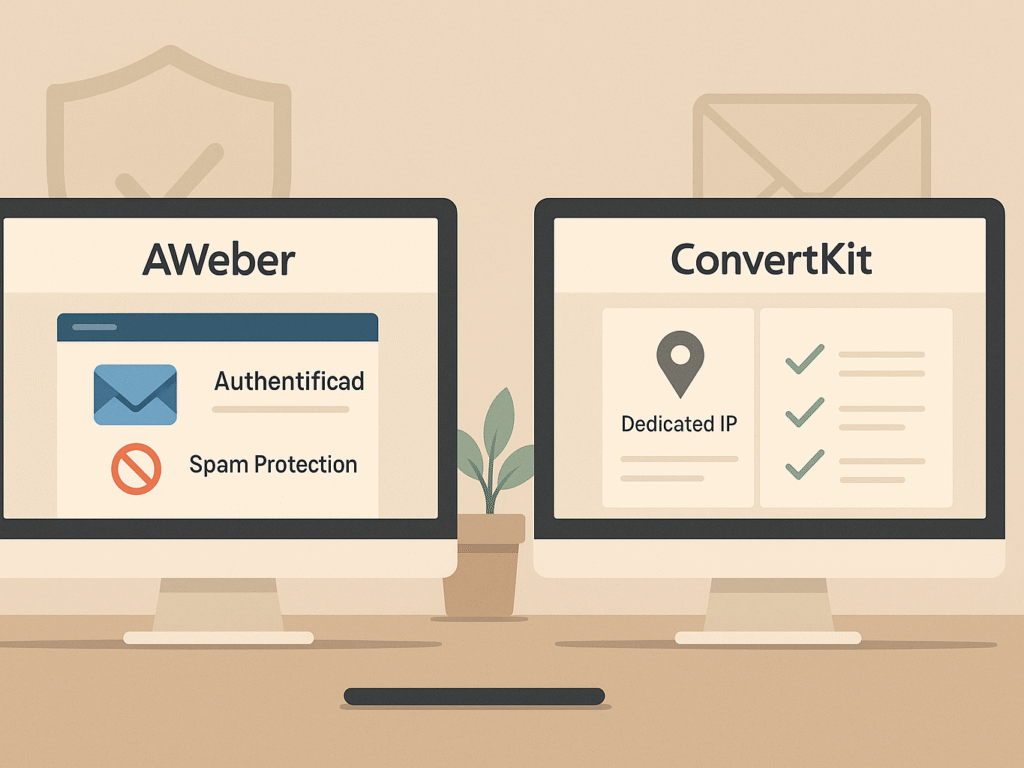
Behind the scenes of email marketing success lies a critical factor: deliverability and compliance. Even the most perfectly designed campaigns fail without proper delivery to subscribers’ inboxes.
1. DKIM Authentication and Spam Policies
Email authentication serves as your digital ID, verifying that your messages truly come from you. Both AWeber and ConvertKit offer DKIM (DomainKeys Identified Mail) authentication, a protocol that adds an encrypted signature to your emails, confirming they’re legitimate and unaltered during transmission.
Setting up DKIM authentication can significantly improve deliverability rates, as it establishes trust with email providers. Equally important, this authentication prevents your domain from being spoofed by spammers. Both platforms provide detailed guides for implementing DKIM. Yet, actual implementation requires adding specific CNAME records to your domain’s DNS settings.
- AWeber enforces a strict zero-tolerance policy against spam.
- Accounts sending unsolicited bulk emails are terminated immediately without refunds.
- Their spam definition goes beyond technical terms to include user-perceived spammy behavior.
- This policy helps maintain high deliverability and list integrity.
ConvertKit similarly enforces strict anti-spam measures, consequently requiring users to follow best practices to maintain good standing. Both platforms actively monitor sender behavior; however, some reviewers suggest that ConvertKit has a slight edge due to features like dedicated IP addresses.
2. Dedicated IPs: Available in ConvertKit Only
A significant deliverability advantage for ConvertKit is its offering of dedicated IP addresses. In contrast to shared IPs (where multiple senders use the same address), dedicated IPs give you exclusive use of an IP address for sending emails.
It matters because on shared IPs, your email reputation is influenced by everyone else using that address. As one expert notes, “your email reputation is at the mercy of whomever else uses that IP address”. One problematic sender can damage deliverability for everyone sharing that IP.
ConvertKit offers dedicated IPs for high-volume senders who send over 150,000 emails weekly, priced at $250 per month. This investment may be worthwhile for larger operations where deliverability is mission-critical.
AWeber, unfortunately, does not offer dedicated IP addresses. This limitation means all AWeber users share IP addresses, potentially exposing them to reputation issues beyond their control. To understand how this impacts overall performance, our AWeber vs. GetResponse comparison analyzes deliverability features and sender reputation management across different platforms.
3. Affiliate Marketing Rules and Impact on Deliverability
Given that many email marketers promote affiliate products, each platform’s affiliate marketing policies have a direct impact on deliverability. Interestingly, both AWeber vs ConvertKit platforms allow affiliate marketing, but with notably different restrictions.
- AWeber takes a relatively permissive approach.
- They require contacts to consent to receive affiliate emails, plus affiliate programs must adhere to AWeber’s guidelines.
- Beyond these basic requirements, their rules remain fairly flexible.
ConvertKit enforces much stricter affiliate marketing policies. They restrict which affiliate programs are allowed and require users to have a business beyond affiliate marketing. Additionally, the majority of your content cannot consist of affiliate marketing materials. This stricter stance aims to protect deliverability for all users.
Why does this matter? Affiliate marketing emails face higher-than-average spam complaint rates. Excessive promotional language, suspicious links, and overly sales-focused content trigger spam filters, potentially harming your sender reputation. Once your reputation suffers, future deliverability declines across all campaigns.
- AWeber does add a vital compliance advantage:
- They automatically include a physical address and email preferences link in your emails,
- Ensuring CAN-SPAM Act compliance.
- ConvertKit requires you to add these elements manually.
Ultimately, ConvertKit’s stricter affiliate policies and dedicated IP options provide an edge for serious marketers focused on maximizing deliverability. In contrast, AWeber offers more flexibility for affiliate marketers within their guidelines, provided you maintain good sending practices.
AWeber vs GetResponse Comparison: Review, Features, Pricing & Deliverability (2025 Guide): Need detailed platform comparisons? Explore GetResponse vs AWeber for in-depth analysis of features, pricing structures, deliverability rates, and user experiences. Make data-driven decisions for your email marketing success.
Integrations and E-commerce Support
The integration ecosystem surrounding your email marketing platform can dramatically expand its capabilities and value. Both AWeber and ConvertKit offer connections to third-party services, yet with notable differences in scope and specialization.
1. Integration Count: 800+ in AWeber vs 90+ in ConvertKit
First and foremost, AWeber dominates in sheer integration volume, connecting with over 800 apps across categories, including content management, lead generation, and social platforms. This extensive network ensures that practically any application you’re using likely has an AWeber integration available.
On the other hand, ConvertKit offers a more modest selection of approximately 90+ integrations. For businesses requiring advanced automation alongside extensive integrations, our ActiveCampaign vs. AWeber analysis compares the integration capabilities of enterprise-level email marketing platforms. Though fewer in number, these integrations cover the most popular platforms that content creators typically need. For services that lack direct integration, ConvertKit users can utilize Zapier as a bridge to connect with additional applications.
The difference becomes even more pronounced when examining e-commerce integrations. AWeber supports 62 e-commerce platforms compared to ConvertKit’s 12. This substantial gap may influence your decision if you operate multiple online stores across different platforms.
2. Ecommerce Tools: ConvertKit Commerce vs Shopify/Gumroad
Beyond external integrations, ConvertKit offers a unique advantage with its native ecommerce functionality called ConvertKit Commerce. This built-in feature enables you to sell digital products directly from your ConvertKit account, eliminating the need for third-party e-commerce platforms. Remarkably, this capability is available to all ConvertKit users, even those on free plans.
In contrast, AWeber lacks native selling functionality, instead focusing on seamless connections with established e-commerce platforms. AWeber maintains simple, direct integrations with leading ecommerce services, including WooCommerce, Shopify, PayPal, and Etsy.
Both AWeber vs ConvertKit platforms integrate with popular selling tools like Shopify and Gumroad. However, AWeber’s WooCommerce and Shopify plugins include valuable cart abandonment options, helping recapture potentially lost sales. AWeber has even partnered with WooCommerce to offer a 50% discount on annual WooCommerce subscriptions, creating additional value for online store owners.
3. Teachable, ThriveCart, and Etsy Integrations
For course creators, both platforms offer Teachable integration options, though with different implementation approaches. The ThriveCart-Teachable integration enables customers to be automatically enrolled in courses after completing a purchase. However, this integration requires a Teachable Pro plan or higher to function correctly.
- While both platforms support ThriveCart integration, AWeber provides additional ecommerce connections that may benefit specific business models.
- AWeber directly integrates with platforms like ClickBank for affiliate marketers, JVZoo, WarriorPlus, and 3DCart.
- AWeber also offers specialized integrations for niche ecommerce needs.
For example, KleverList (a WordPress plugin) helps WooCommerce store owners sync customer data, products, and sales information with AWeber for better segmentation and personalized marketing.
Finally, AWeber’s direct Etsy integration gives craft sellers and handmade product creators a streamlined way to connect their shop visitors with email marketing sequences.
- Simply put, your integration needs will likely guide your platform choice.
- AWeber offers a breadth of connections across many platforms.
- ConvertKit focuses on native selling capabilities.
- Evaluate third-party services essential to your workflow.
Consider which third-party services are essential to your workflow before making your final decision. AWeber suits users needing diverse ecommerce integrations, while ConvertKit is ideal for creators who prefer simplicity and have fewer integration needs.
AWeber vs. Mailchimp: A Full Breakdown of Pricing, Tools & User Reviews: Considering Mailchimp as another option? Compare AWeber vs Mailchimp across features, pricing, deliverability, and user satisfaction. Make an informed choice between leading email marketing platforms.
Pricing and Plan Structure
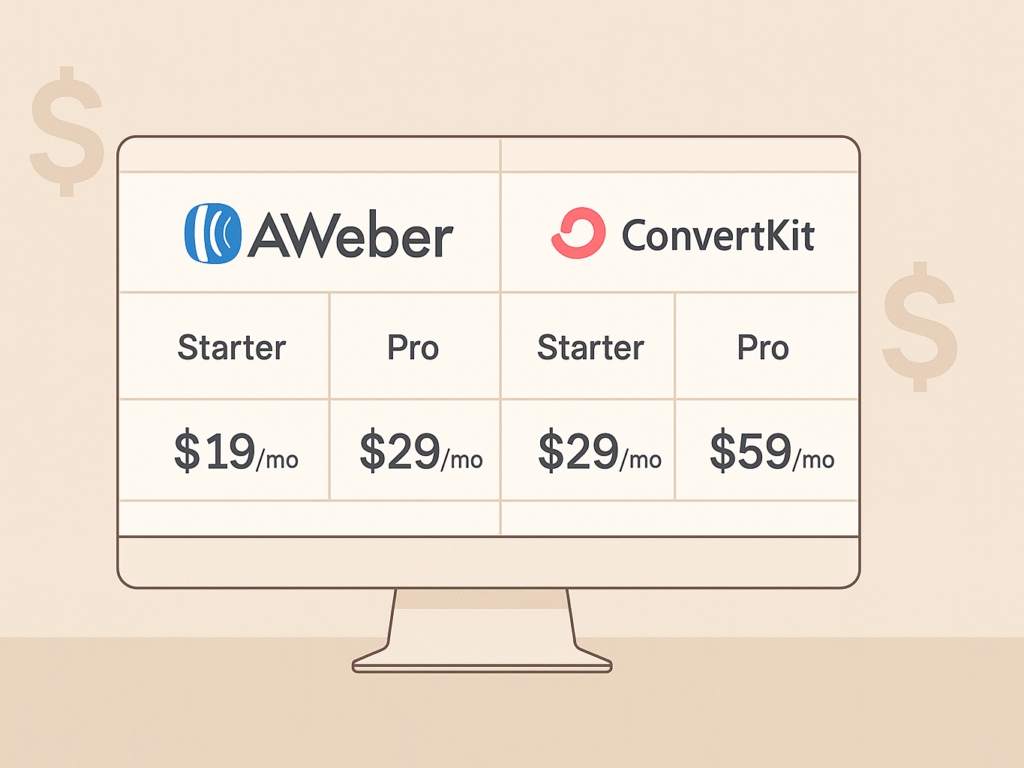
Budget considerations often determine your final choice between email marketing platforms. Price differences between AWeber and ConvertKit become apparent once you examine their plan structures and long-term costs as your subscriber list grows.
1. Free Plan Comparison: 500 Contacts vs 1,000 Contacts
AWeber vs ConvertKit offer free plans with noticeable differences in subscriber limits and feature availability. AWeber’s free plan accommodates up to 500 subscribers with a monthly email sending limit of approximately 3,000 emails (approximately 100 emails per day). This plan includes unlimited forms and landing pages, subscriber tagging, email templates, and basic automation features.
In comparison, ConvertKit’s free plan doubles the subscriber capacity, allowing up to 1,000 contacts with no monthly sending restrictions. For all-in-one platform alternatives that offer better value, explore our AWeber vs. Systeme.io comparison, which examines comprehensive business solutions.
Nonetheless, this advantage comes with a significant limitation: ConvertKit’s free plan lacks email automation capabilities, a crucial feature for building effective marketing funnels.
For creators just starting, this presents a clear tradeoff: AWeber offers more functionality but fewer subscribers, whereas ConvertKit provides a larger audience capacity but fewer marketing tools.
2. How Much Does ConvertKit Cost vs. AWeber Pro?
Upon outgrowing the free tier, the price gap between these platforms becomes increasingly evident:
AWeber offers one paid option, the Pro plan, starting at $19.00/month for up to 500 subscribers. As your subscriber count increases, the pricing scales up:
- 501-2,500 subscribers: $19.00/month
- 2,501-5,000 subscribers: $49.00-$69.00/month
- 5,001-10,000 subscribers: $69.00/month
Meanwhile, ConvertKit provides two paid tiers:
- Creator plan: Starting at $29.00/month for up to 1,000 subscribers
- Creator Pro plan: Starting at $59.00/month for the exact subscriber count, but with advanced features
At higher subscriber levels, the cost difference widens substantially. For 9,000-10,000 subscribers, AWeber charges $69.00/month, while ConvertKit’s price jumps to $119.00/month. The only “sweet spot” where prices align occurs at the 2,500-4,000 subscriber range, where both platforms charge approximately $49.00/month.
Both services offer annual billing discounts, making long-term commitments more economical.
3. Feature Access Across Tiers
Understanding which features are available at each price point helps determine actual value beyond just subscriber counts.
AWeber’s Pro plan grants access to all platform features without hidden upgrades. The comprehensive package includes:
- Advanced analytics and reporting
- Form and email split-testing
- Unlimited email sending
- Removal of AWeber branding
Alternatively, ConvertKit divides its premium features between two tiers:
- The Creator plan adds essential functionalities absent from the free version:
- Automation sequences
- Third-party integrations (70+ services)
- Premium support access
- The Creator Pro plan further enhances capabilities with:
- Facebook Custom Audiences integration
- Deliverability reporting
- Subscriber engagement scoring
Considering the total value proposition, AWeber often provides more features at lower price points across most subscriber levels. For budget-conscious marketers seeking comprehensive tools without tiered restrictions, AWeber represents the more cost-effective choice except in situations where ConvertKit’s higher free subscriber limit justifies its premium pricing.
AWeber vs GetResponse Review: Features, Pricing & Deliverability Compared: Want more alternatives? Compare AWeber against GetResponse for comprehensive feature analysis, pricing breakdowns, and deliverability performance. Discover which platform offers better value for your email marketing investments.
Customer Support and Onboarding
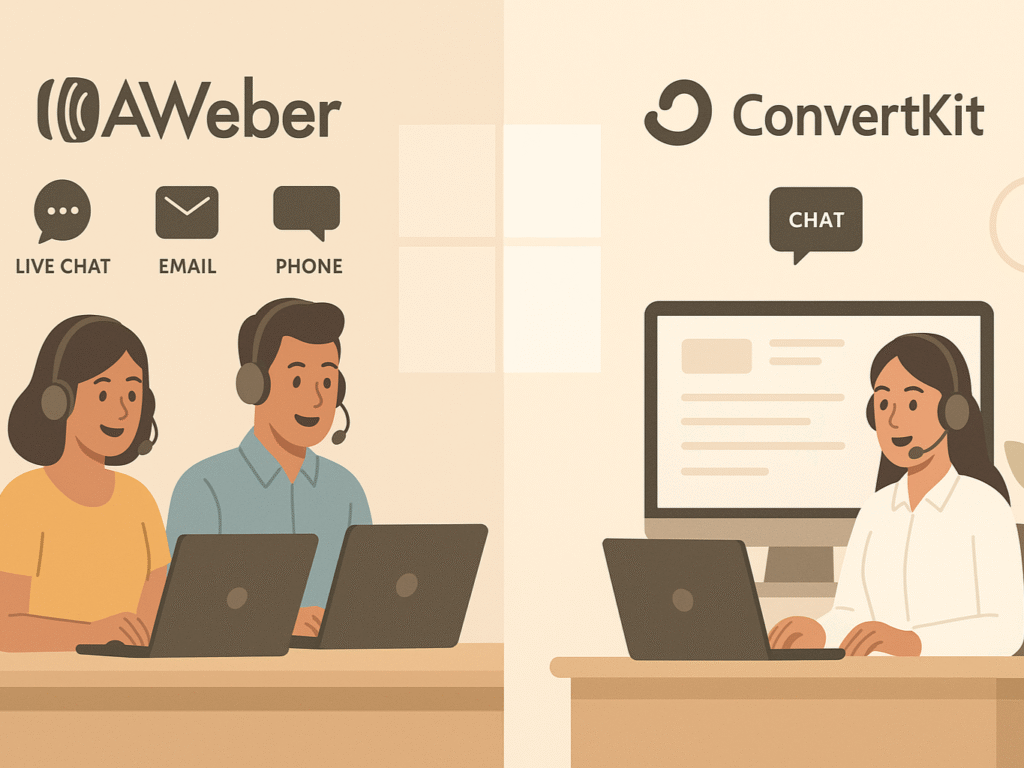
Expert customer support can make or break your email marketing experience, especially when navigating technical challenges or transitioning from another platform.
1. Live Chat, Email, and Phone Support in AWeber
AWeber stands out with its comprehensive, award-winning customer support options. First and foremost, the platform offers multiple contact channels regardless of your plan tier, including free accounts. Their support team is accessible via:
- Live chat (Monday-Friday 7 AM-10 PM ET, weekends 8 AM-5 PM ET)
- Email support (available 24/7)
- Phone support (Monday-Friday 8 AM-8 PM ET)
Admittedly, AWeber takes pride in its customer service quality, having won multiple Stevie Awards for Best Customer Service. This in-house support team contrasts with ConvertKit’s approach, as AWeber explicitly mentions that ConvertKit outsources its customer service. To compare support quality across different platforms, our GetResponse vs. AWeber guide evaluates customer service experiences and response times.
In practice, yet, some users report mixed experiences with AWeber’s support quality. Whereas one customer praised how “the level of support that AWeber provides makes running my business so much easier,” another review mentioned receiving unhelpful responses.
2. ConvertKit’s Creator Community and Priority Support
Beyond traditional support channels, ConvertKit offers a unique feature: a community focused on creators. Launched in 2020, this free community is available to all ConvertKit users (even on free plans) via Single Sign-On.
The community serves multiple purposes:
- A dedicated help forum where members get answers from peers and product experts
- Feedback collection through dedicated sections
- Sub-communities (Groups) based on creator types like YouTubers and Writers
- Mastermind groups for small-group collaboration
Regarding direct support options, ConvertKit’s Creator and Creator Pro plans include 24/7 live chat, with the Pro plan offering priority support. Interestingly, the free plan includes live chat support even though ConvertKit doesn’t advertise this feature.
3. Onboarding Experience and Setup Help
Undoubtedly, transitioning to a new email platform can be daunting, which is why both services offer assistance with the migration process.
AWeber’s migration team completes transfers within five business days or less, handling your existing subscribers, tags, and more. Furthermore, they allow you to continue using your account during the migration process.
At this point, it’s worth noting that ConvertKit also offers free migration from various platforms with their paid Creator plan. This service helps smooth the transition process for established email marketers.
In addition to migration support, AWeber provides robust self-help resources, including a knowledge base, video tutorials, and an active community forum. For users who prefer learning independently, these resources complement their direct support options.
Both platforms prioritize customer education, albeit through different approaches: AWeber through its extensive support channels and documentation, and ConvertKit through its community-centered model that facilitates peer learning alongside traditional support.
ActiveCampaign vs AWeber: Full Comparison of Features, Pricing & Ease of Use: Considering advanced automation? Compare AWeber with ActiveCampaign’s sophisticated marketing automation capabilities. Evaluate features, pricing, and complexity levels to determine the best fit for your business growth.
Final Overview
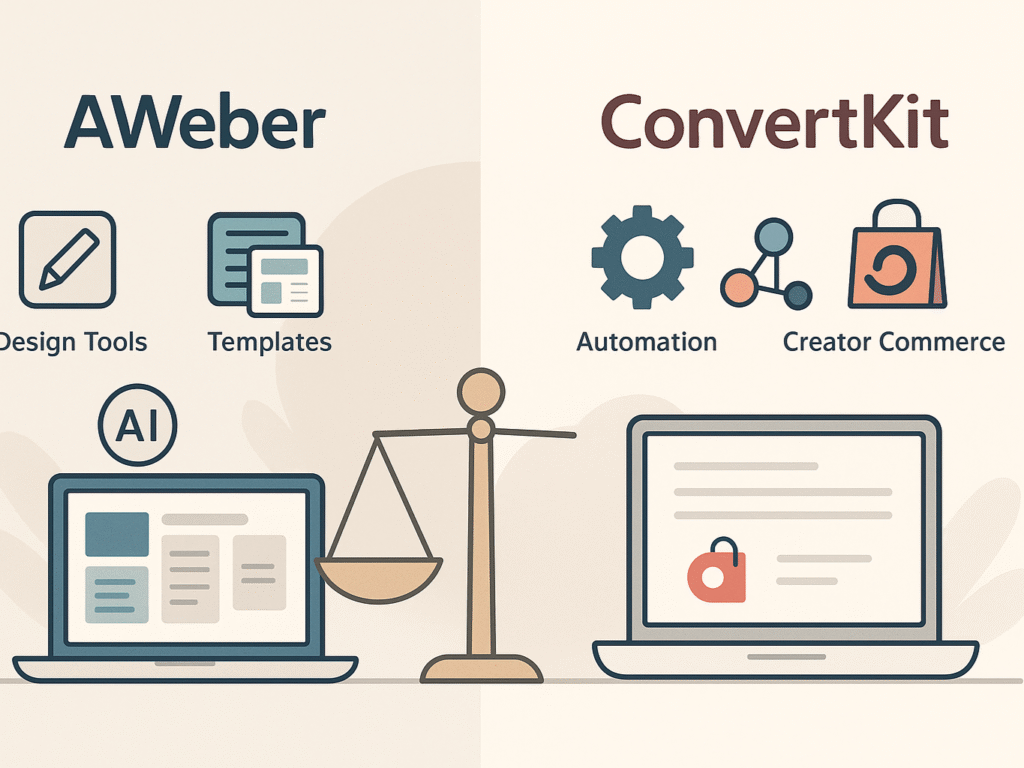
Choosing between AWeber and ConvertKit depends on your email marketing goals. AWeber excels in design flexibility with 700+ templates, AI tools, and more affordable pricing starting at $19/month. It’s ideal for businesses that prioritize visual marketing, deep analytics, and broad integration capabilities with over 800 third-party app connections. For companies seeking comprehensive marketing funnel solutions, consider our AWeber vs. ClickFunnels comparison to understand how email marketing integrates with advanced funnel-building platforms.
ConvertKit, on the other hand, is tailored for creators who need powerful automation and personalized workflows. Its visual builder supports advanced logic, while ConvertKit Commerce enables native digital product sales. Though priced higher, starting at $29/month, it offers better deliverability options, such as dedicated IPs, and supports a thriving creator community.
Ultimately, AWeber suits users seeking budget-friendly solutions with strong design tools and integrations. ConvertKit suits those who need creator-focused features, streamlined automation, and native selling tools. Both platforms provide essential tools for growing your audience, and your final decision should align with your marketing strategy, workflow preferences, and growth priorities.
AWeber vs Systeme.io: Full Comparison of Features, Pricing & Ease of Use: Looking for all-in-one solutions? Compare AWeber with Systeme.io’s comprehensive business platform, including email marketing, course creation, and sales funnels. Discover which approach best suits your complete business needs.
FAQs on Aweber vs Convertkit
Q1. What are the key differences in email templates between AWeber and ConvertKit?
AWeber includes over 700 pre-designed templates for various industries and styles. ConvertKit, on the other hand, offers only nine minimalist templates, focusing more on plain-text emails and simplicity rather than rich visual customization options.
Q2. How do AWeber and ConvertKit differ in automation capabilities?
AWeber offers visual “Campaigns” for basic automations, featuring tagging and sequencing. ConvertKit offers deeper workflows through “Visual Automations,” including conditional branching, Link Triggers, and subscriber paths tailored for creators who need advanced behavior-based automation.
Q3. What are the pricing differences between AWeber and ConvertKit?
AWeber starts at $19/month for 500 subscribers, offering more flexibility with its free plan. ConvertKit begins at $29/month for 1,000 subscribers. Overall, AWeber tends to be more affordable across comparable subscriber levels and includes more free-tier benefits.
Q4. How do the analytics and reporting features compare between AWeber and ConvertKit?
AWeber provides detailed insights like open rates, click maps, geolocation, and revenue tracking. ConvertKit delivers essential metrics, opens, clicks, and unsubscribes, but lacks a visual reporting dashboard or in-depth analytics for ecommerce-focused marketers or advanced users